Step-by-Step Guide to Dice Game Development for Beginners with Practical Programming Examples
Step-by-Step Guide to Dice Game Development for Beginners with Practical Programming Examples
Introduction
Dice games have been a popular form of entertainment for centuries, providing fun, chance-based gameplay that appeals to a wide audience. For beginners interested in programming, developing a dice game is an excellent project to learn essential coding concepts such as randomness, user input, control flow, and game logic. This comprehensive guide will walk you through the process of creating a dice game step-by-step, from initial setup to polishing the final product. We will include practical programming examples in commonly used languages to help you better understand each stage of development.
Understanding the Basics of Dice Games
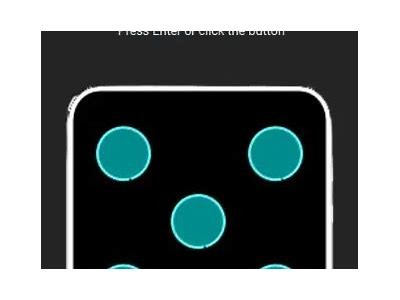
Before diving into coding, it’s important to understand the fundamental mechanics of a dice game. A dice game typically involves rolling one or more dice and making decisions or scoring points based on the outcome. The simplest dice game might just involve rolling a single six-sided die and guessing the number. More complex games, such as “Yahtzee” or “Farkle,” use multiple dice and more intricate rules.
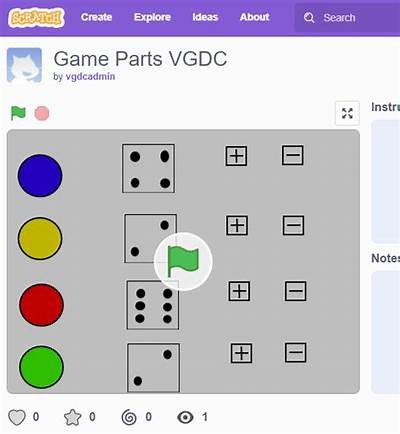
Key concepts of dice games include:
- Randomness: Each die roll must simulate randomness to fairly represent chance.
- Turn-based play: Players typically take turns rolling dice.
- Scoring: Points are often awarded based on specific dice combinations or totals.
- Winning conditions: Games define criteria for declaring a winner, such as reaching a target score.
Setting Up Your Development Environment
Before writing your first line of code, ensure you have the necessary tools to develop your dice game. Depending on your programming language preference, the setup may vary:
- Python: Download and install Python from the official website, and consider an IDE like PyCharm or VS Code.
- JavaScript: You can write and test code directly in browser consoles or use editors like Visual Studio Code.
- Java: Install the Java JDK and an IDE such as IntelliJ IDEA or Eclipse.
For this guide, we will provide examples primarily in Python due to its simplicity and readability, but the logic is transferable across languages.
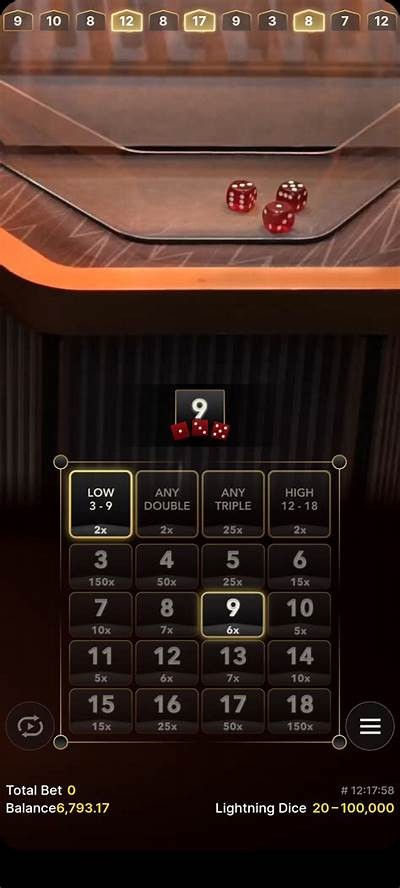
Step 1: Generating a Random Dice Roll
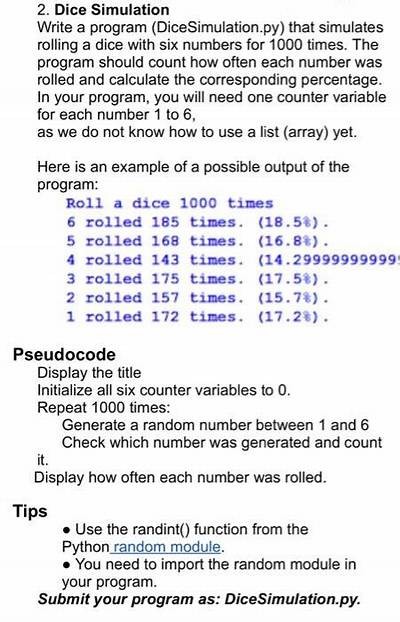
The core of any dice game is the ability to simulate rolling dice. Computers generate pseudo-random numbers to mimic the randomness of physical dice rolls. In Python, the random module provides functionality to generate random numbers.
Example in Python:
import random

def roll_die():
    return random.randint(1, 6)

print("You rolled a", roll_die())
This function simulates one roll of a 6-sided die by generating a random integer between 1 and 6 inclusive. You can expand this to roll multiple dice by calling the function multiple times or modifying it to return a list of rolls.
Step 2: Creating a Simple Single-Player Dice Game
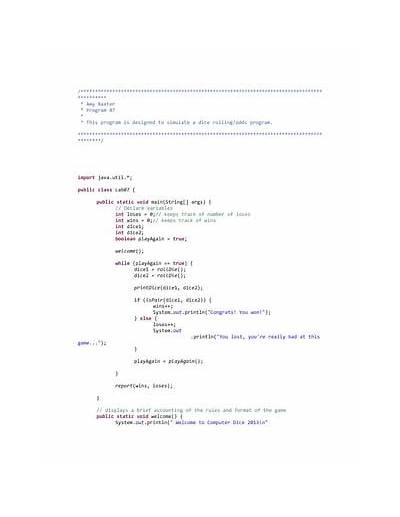
Let’s create a simple game where the player rolls two dice, and their score is the sum of both dice. The player gets to roll the dice three times, and the highest total score wins.
Example in Python:
import random

def roll_die():
    return random.randint(1, 6)

def roll_two_dice():
    return roll_die() + roll_die()

def game():
    rolls = []
    for i in range(3):
        total = roll_two_dice()
        print(f"Roll {i + 1}: You rolled a total of {total}")
        rolls.append(total)
    max_score = max(rolls)
    print(f"Your highest roll was {max_score}")

if __name__ == "__main__":
    game()
This program demonstrates loops, functions, and storing results. Although simple, it forms a strong foundation for more complex games.
Step 3: Adding User Interaction
To make the game interactive, we ask the player if they want to roll the dice, allowing them to decide when to roll or quit the game.
Example in Python:
import random

def roll_die():
    return random.randint(1, 6)

def roll_two_dice():
    return roll_die() + roll_die()

def game():
    print("Welcome to the Dice Rolling Game!")
    rolls = []
    while True:
        choice = input("Roll dice? (y/n): ").strip().lower()
        if choice == 'y':
            total = roll_two_dice()
            print(f"You rolled a total of {total}")
            rolls.append(total)
        elif choice == 'n':
            if rolls:
                max_score = max(rolls)
                print(f"Game over! Your highest roll was {max_score}")
            else:
                print("You didn't roll any dice.")
            break
        else:
            print("Invalid input, please enter 'y' or 'n'.")

if __name__ == "__main__":
    game()
This example introduces input handling and control flow, making the game more engaging.
Step 4: Implementing Turn-Based Multiplayer
To expand your game, allow multiple players to take turns rolling dice. Each player will roll once per turn, and after a set number of rounds, the player with the highest total score wins.
Example in Python:
import random

def roll_die():
    return random.randint(1, 6)

def roll_two_dice():
    return roll_die() + roll_die()

def game():
    num_players = int(input("Enter the number of players: "))
    num_rounds = int(input("Enter the number of rounds: "))
    scores = [0] * num_players

    for round_num in range(num_rounds):
        print(f"\nRound {round_num + 1}")
        for player in range(num_players):
            input(f"Player {player + 1}, press Enter to roll dice...")
            total = roll_two_dice()
            print(f"Player {player + 1} rolled a total of {total}")
            scores[player] += total

     Determine winner
    max_score = max(scores)
    winners = [i + 1 for i, score in enumerate(scores) if score == max_score]

    print("\nFinal Scores:")
    for i, score in enumerate(scores):
        print(f"Player {i + 1}: {score}")

    if len(winners) == 1:
        print(f"The winner is Player {winners[0]}!")
    else:
        print(f"It's a tie between players {', '.join(map(str, winners))}!")

if __name__ == "__main__":
    game()
This implementation uses lists for scores, input to pause turns, and loops to manage rounds and players.
Step 5: Adding Game Rules and Scoring Systems
Many dice games incorporate specific rules that affect scoring. For example, in the game Farkle, players score points for specific dice combinations such as three of a kind or straights. To implement rules, you must analyze the dice roll result and calculate scores accordingly.
Let’s add a basic scoring system that awards points for doubles and triples when rolling two dice:
Example in Python:
import random

def roll_die():
    return random.randint(1, 6)

def roll_two_dice():
    return [roll_die(), roll_die()]

def calculate_score(dice):
    if dice[0] == dice[1]:
        if dice[0] == 6:
            return 50   Double sixes
        return 20       Other doubles
    return sum(dice)

def game():
    num_rolls = int(input("How many times do you want to roll the dice? "))
    total_score = 0
    for i in range(num_rolls):
        dice = roll_two_dice()
        print(f"Roll {i + 1}: You rolled {dice[0]} and {dice[1]}")
        score = calculate_score(dice)
        print(f"Score for this roll: {score}")
        total_score += score
    print(f"Your total score is {total_score}")

if __name__ == "__main__":
    game()
This example introduces more complex scoring by inspecting dice values and applying rule-based logic.
Step 6: Enhancing User Experience
To improve the player’s experience, consider adding features such as:
- Clearer instructions and prompts.
- Input validation to handle invalid user entries robustly.
- Visual feedback like ASCII art representing dice faces.
- Save and load functionality for game states.
- Graphical User Interfaces (GUIs) using tools like Tkinter (for Python) or HTML/CSS with JavaScript.
Here is a simple example of ASCII art for dice faces:
def print_dice_face(value):
    dice_faces = {
        1: ["+-------+",
            "|       |",
            "|   o   |",
            "|       |",
            "+-------+"],
        2: ["+-------+",
            "| o     |",
            "|       |",
            "|     o |",
            "+-------+"],
        3: ["+-------+",
            "| o     |",
            "|   o   |",
            "|     o |",
            "+-------+"],
        4: ["+-------+",
            "| o   o |",
            "|       |",
            "| o   o |",
            "+-------+"],
        5: ["+-------+",
            "| o   o |",
            "|   o   |",
            "| o   o |",
            "+-------+"],
        6: ["+-------+",
            "| o   o |",
            "| o   o |",
            "| o   o |",
            "+-------+"],
    }
    for line in dice_faces[value]:
        print(line)

 Example usage:
print_dice_face(3)
Such visual cues add charm and clarity to the game.
Step 7: Testing and Debugging Your Dice Game
Thorough testing ensures your dice game runs as intended. Test scenarios include:
- Validating random number generation falls within expected ranges.
- Confirming input acceptance and rejection cases.
- Checking scoring calculations for all rule branches.
- Ensuring multiplayer turns and scoring accumulate correctly.
- Handling edge cases such as ties or zero rolls gracefully.
Use debugging tools, print statements, or logging libraries to trace program flow and identify issues.
Step 8: Expanding Your Dice Game
Once you have mastered the basics, you can create more sophisticated dice games by:
- Implementing popular games like Yahtzee, Craps, or Pig with full rule sets.
- Adding artificial intelligence (AI) opponents using decision-making algorithms.
- Developing networked multiplayer functionality for playing over the internet.
- Deploying games as mobile apps or web applications.
Apart from programming skill, creative design and user experience become increasingly important as you work on larger projects.
Conclusion
Building a dice game is a highly rewarding project for beginners learning to code. By following this step-by-step guide filled with practical examples, you can understand how randomness, input handling, game logic, and user interaction come together to create an engaging game. Whether you stick with simple console-based programs or advance to graphical or networked versions, this foundational experience will sharpen your programming skills and open pathways to more complex game development challenges.
Additional Resources
Unless otherwise specified, the copyright of this article belongs to WillBet: Your Gateway to Premier Online Betting All, please indicate the source for reprinting.
Category: keep em
Title: Step-by-Step Guide to Dice Game Development for Beginners with Practical Programming Examples
Related
Related Sites
- 最近发表
-
- Interwetten Casino Comprehensive Review and Guide to Bonuses Games and Winning Strategies
- Best Ways to Use Interwetten Gutschein Codes for Exclusive Discounts and Bonuses in 2024
- Complete Guide to Unibet Casino Features Bonuses Games and Secure Online Gambling Experience
- Discover Exciting Backseat Gaming Slots Online for Ultimate Fun and Big Wins
- Lothar Matthäus Career Achievements and Partnership with Interwetten Explained in Detail
- Latest Updates and Promotions Available Today on Www Interwetten Com Online Sportsbook Platform
- Discover the Ultimate Betting Experience with Www Willbet 288 Online Platform for Reliable Sports Wagering
- Top Online Casinos for Real Money in 2024 Best Trusted Gambling Sites Reviewed
- Discover the Ultimate Willbet Slot Experience with Exciting Features and Big Winning Chances
- Discover the Ultimate Casino Experience with 1xbet Online Platform for Secure and Exciting Gambling
- 标签列表
-
- online-casino (26)
- live-dealer-games (13)
- sports-betting (65)
- online-gambling (26)
- promotions (20)
- gaming (13)
- online-gaming (32)
- casino-games (42)
- online-slots (16)
- responsible-gaming (17)
- bankroll-management (15)
- responsible-gambling (32)
- Interwetten (68)
- online-betting (62)
- customer-support (16)
- Willbet (15)
- Online-Gambling (22)
- Sports-Betting (26)
- Online-Gaming (24)
- live-betting (19)
- Casino-Games (24)
- mobile-gaming (28)
- betting-strategies (15)
- Online-Betting (25)
- casino-bonuses (18)